

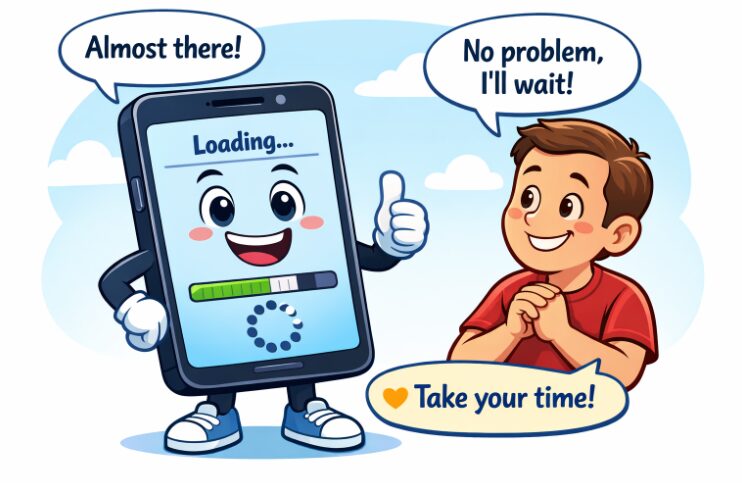
In today’s fast-paced digital landscape, mobile users expect seamless and instant interactions with the apps they use daily. Even momentary delays can disrupt engagement and prompt users to abandon an app altogether. For this reason, providing visual feedback through progress indicators is a vital aspect of mobile UX design. As a core part of the interaction process, a progress bar UI communicates ongoing activity and reassures users that their requests are actively being processed.
When users are kept informed of ongoing processes, their overall satisfaction improves, and their trust in the application strengthens. A well-designed progress indicator can quietly influence how users perceive an app’s quality, reliability, and speed. By reducing uncertainty, these UI elements play a critical role in shaping user expectations. Without progress indicators, prolonged silence from an app can leave users wondering whether the app has crashed or the device has frozen. Clear and responsive progress feedback helps bridge wait-time gaps, supports a smoother user journey, and helps developers promote a sense of control and transparency during potentially frustrating moments.
Beyond mere functionality, progress indicators can also serve as branding opportunities and add an extra layer of polish to the app interface. By integrating creative visual cues, app creators can reinforce a brand’s identity while keeping users engaged throughout the experience.
Importance of Progress Indicators
Progress indicators are fundamental for an effective user experience in mobile apps. They inform users about what is happening behind the scenes and offer a sense of progression by visually displaying ongoing actions. By managing user expectations, these UI elements lower anxiety and make app functionality more transparent, leading to better retention rates. When applications provide timely feedback, users are less likely to interrupt processes prematurely or abandon tasks due to uncertainty about app responsiveness.
Additionally, progress indicators can turn potential moments of frustration into positive interactions. In fast-paced environments where user patience is short, these cues can encourage users to remain engaged even when a process takes longer than expected.
Types of Progress Indicators
Mobile applications utilize a variety of progress indicators, each suited for different types of user interactions and wait times. Common forms include:
- Linear Progress Bars: These are horizontal bars that fill as a task progresses, ideal for processes with a known duration, such as file uploads or downloads.
- Circular Spinners: Used for indeterminate situations when the exact completion time is unknown, circular spinners show users that something is happening in the background.
- Percentage Indicators: By explicitly showing the percentage of completion, these indicators provide users with specific, measurable insight into how much longer a task may take.
- Skeleton Screens: These are placeholder layouts that simulate the expected structure and layout of the final content.
Psychological Impact on Users
Progress indicators shape the psychological experience of waiting. Research indicates that users perceive waits as shorter when progress is visually communicated, even if the actual time remains the same. Animated progress cues, such as loading bars and skeleton screens, help distract from the wait and make the experience feel more streamlined. Positive perceptions of wait times can be further reinforced when progress indicators provide continuous feedback rather than static or silent pause screens.
The design, speed, and responsiveness of the progress indicator influence a user’s emotions. Smooth, predictable animations can evoke calm, while abrupt or inconsistent indicators can induce frustration. Clever use of motion, color, and messaging further enhances the sense of progress and efficacy, steering users away from negative associations with waiting.
Best Practices for Implementation
- Provide Accurate Feedback: Ensure that the progress indicator truthfully reflects what is happening in the background. Misleading or vague feedback erodes trust and may increase abandonment rates.
- Use Animations Sparingly: While animation can make progress indicators feel lively, overdoing it can distract or annoy users. Choose simple, purposeful animations that contribute to clarity rather than spectacle.
- Maintain Consistency: All parts of the app should use familiar progress cues to maintain coherence and prevent users from second-guessing the meaning of visual feedback throughout the application.
- Optimize Performance: Lightweight and efficient indicators should not themselves cause lag or drain resources. They should be coded and designed with performance in mind, particularly for older or less powerful devices.
Real-World Examples
Effective use of progress indicators is visible in many leading mobile applications. In fintech, for example, onboarding new users can be a lengthy process that requires collecting personal data and complying with regulatory requirements. Well-designed progress bars or step indicators transform these experiences, making them feel shorter and less tedious.
A case study demonstrates how optimizing onboarding flows with clear visual progress feedback can substantially reduce user drop-off rates and improve overall user satisfaction. Similarly, e-commerce applications like Amazon and social platforms like Instagram leverage clear, consistent progress cues throughout their interfaces. Whether uploading a product photo, waiting for payment authorization, or processing a video, users are always kept informed of what the app is doing, a critical ingredient in promoting a positive brand experience.
Conclusion
Progress indicators play an indispensable role in mobile app usability. By delivering timely and accurate visual feedback, they mitigate the negative effects of wait times, increase user trust, and enhance overall satisfaction. Prioritizing their thoughtful design and integration can lead to more engaging, intuitive, and successful mobile applications.